
Features
What 4chan TV does
A 4chan thread is a pile of files you click one by one. 4chan TV turns it into a channel: full screen, one clip after another, with the controls you'd want from a TV remote.
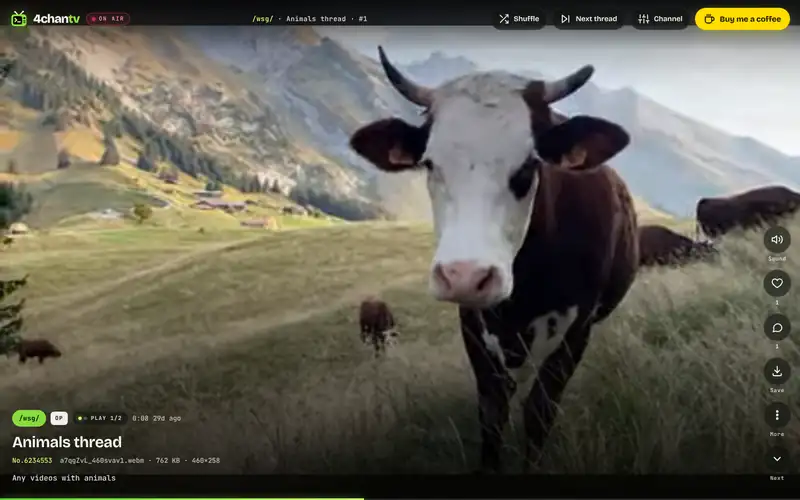
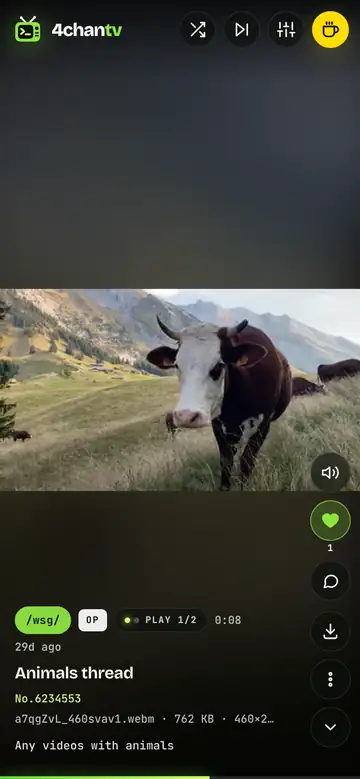
Tune in and lean back
Every webm and mp4 of the thread plays one after another, full screen. The chip shows which play you are on, the glowing bar is the progress (drag it to seek) and the rail holds sound, heart, comments, save and more.
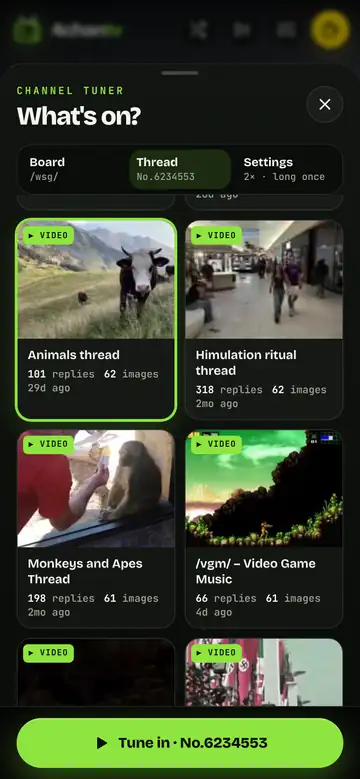
Pick a thread, or mix the board
The tuner lists the board's live threads with a thumbnail, subject, reply and file counts, sorted by bump order, most files or newest. Threads already showing videos are marked. Or mix the top 5 to 20 threads of the board in one channel.
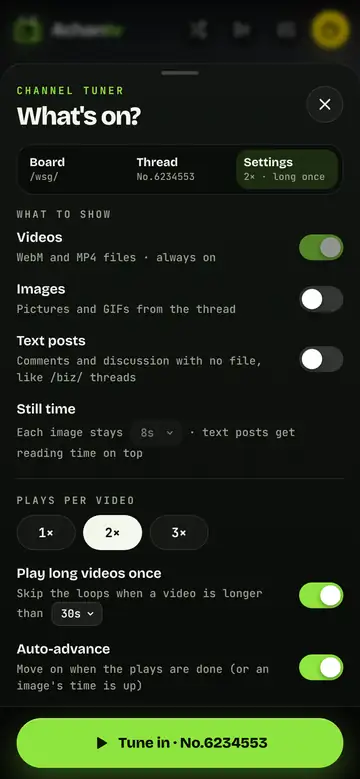
Make it yours
Choose what the channel shows (videos always, images and text posts on request), how many times short clips play, when a video counts as long, auto-advance, shuffle, continue to the next thread and live updates.
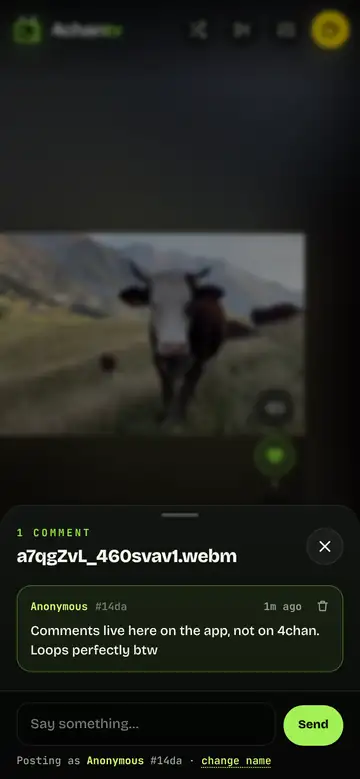
Hearts and comments
Heart a clip and see how many others did. Open the comments to talk about it: they live on this app, not on 4chan, under an anonymous per-device identity with an optional nickname.
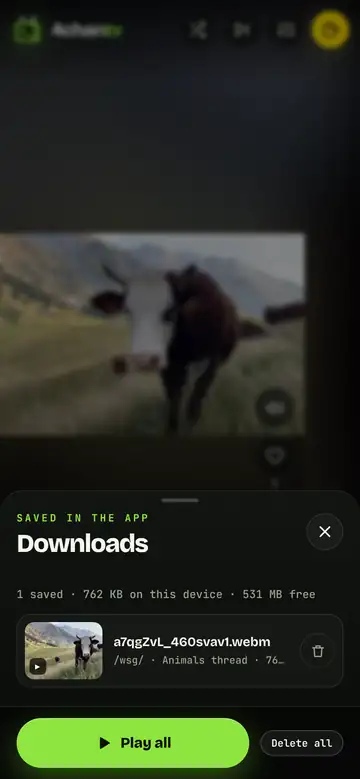
Save clips inside the app
Tap Save and the clip is kept in your browser's storage on that device. Downloads lists them with size and thread, plays them offline as their own channel, and never touches your gallery.
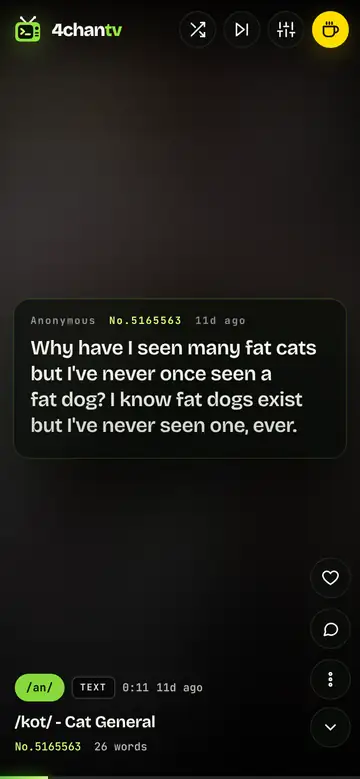
Discussion threads, readable
With text posts switched on, a general thread turns into slides you can read: each post stays for its reading time, greentext stays green, and the thread's picture glows behind it.
And the rest
Channel tuner
Pick a board (search by name, quick picks for the video-heavy ones), then a thread from its live catalog, sorted by bump order, most files or newest. Threads that already show videos are marked. Tap a thread twice to tune in.
Mix the whole board
Don't want to choose? Mix the board's top 5, 10, 15 or 20 threads. Clips from the different threads take turns, so a mix feels like channel-surfing one board. Shuffle randomises the order.
Loop rules like a real channel
Short clips play 1×, 2× or 3× (your choice), long ones play once (you set the threshold: 15 to 90 seconds), then auto-advance moves on. A loop chip shows which play you're on; tap to pause, drag the glowing bar to seek, press R to replay.
Sound where it exists
Boards that allow audio in WebM files, mainly /wsg/, play with sound once you tap the speaker. Everywhere else you get silent clips and GIF-style loops, exactly as posted.
Images and text posts, optional
Switch on Images and Text posts in Settings and discussion threads (generals on /biz/, /tv/, /k/…) become readable slides: pictures stay for a set time, text posts get reading time on top, greentext stays green.
Continue and Live
When a thread ends, the channel can continue with the board's next thread. Live re-checks the thread every 30 seconds and appends new posts as they arrive, so a fast thread never runs dry.
Save inside the app
The Save button keeps a clip in your browser's storage on that device. Saved clips live under Downloads, play offline as their own channel, and never appear in your phone's gallery or on any server.
Hearts and comments
Heart a clip and see how many others did; open the comments and talk about it. These live on 4chan TV, not on 4chan. No account: each device gets an anonymous identity, and you can pick a nickname in Settings.
Hide what you don't want to see again
Hide a file once and it never plays again on that device, in any thread (files are recognised by their checksum, so reposts are hidden too). Undo it any time from Settings.
18+ boards stay off by default
Adult boards are hidden until you switch them on in Settings and confirm you're 18 or older. Switch them off again any time. The public pages of this site list work-safe boards only.
Phone, desktop, home screen
It's a web app that works in any modern browser, portrait or landscape. Add it to your home screen (Settings → App → Install) and it opens full screen like a native app, with its own icon.
Keyboard on desktop
↑ ↓ or J K next/previous · Space pause · M sound · H heart · C comments · D save · F fullscreen · X shuffle · S tuner · R replay · N next thread.
Behind the scenes
Thread data comes from 4chan's public, read-only JSON API; files play straight from 4chan's CDN and are never re-hosted. The app stays under one request per second in total, refreshes a thread at most every ten seconds, and asks 4chan whether anything changed before downloading a catalog again. Files that fail or vanish (threads get pruned fast) are skipped automatically.